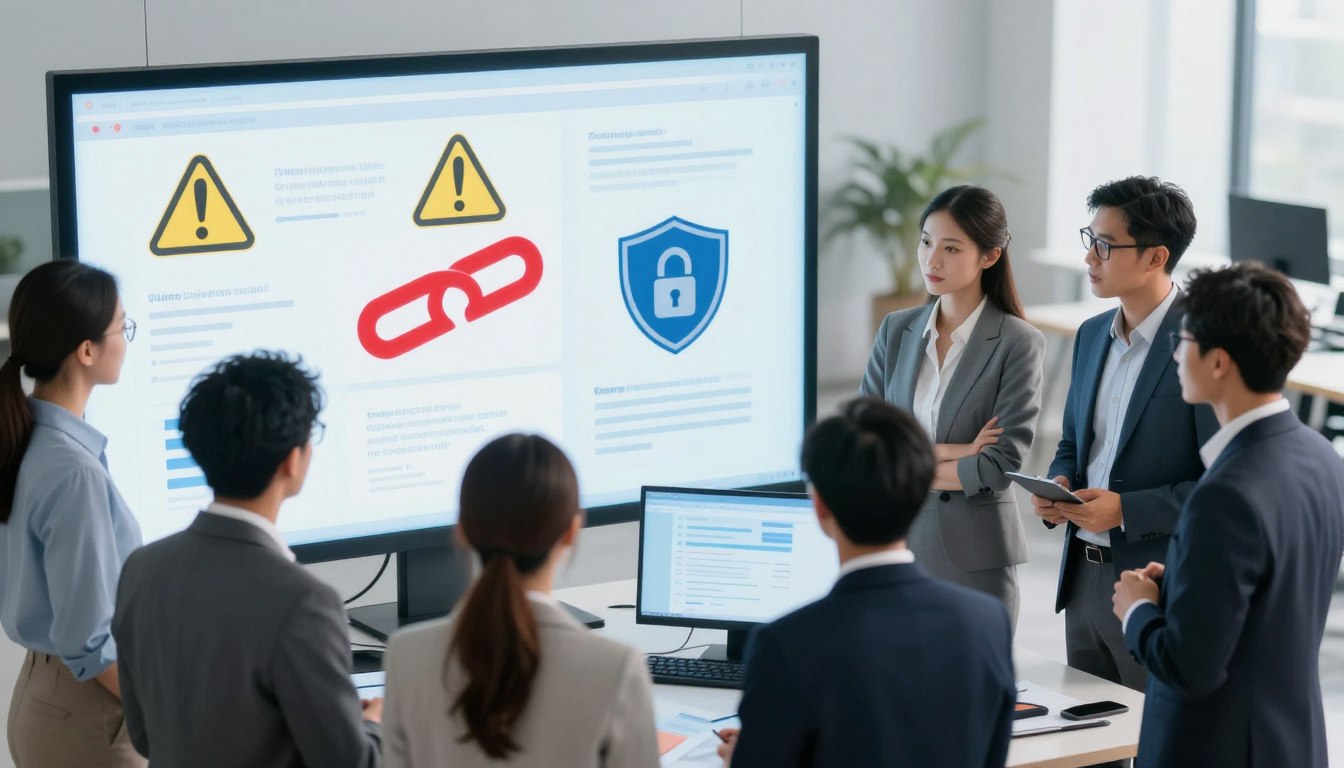
Have you ever wondered if a single tap on your screen could expose your entire digital life to a complete stranger? It is a scary thought that many people ignore while they browse their favorite websites. I have seen how easy it is to make a mistake when we are in a hurry.
I have learned that keeping your information safe requires a bit of vigilance and the right knowledge. Today, I am excited to share my best cybersecurity tips to ensure you remain protected in this vast digital world. My goal is to help you feel confident every time you go online.

Don’t click suspicious links or downloads
Bad actors often use clever tricks to get into your private devices. By following simple online safety tips, you can easily spot a suspicious message before it causes any real damage to your privacy. It is helpful to stay one step ahead of these digital threats.
It is vital to understand how to avoid phishing scams that appear in your inbox daily. I will help you recognize these threats so you never have to worry about accidental downloads again. Let us explore the best ways to keep your data under your control.
Key Takeaways
- Always verify the sender address before interacting with any new email.
- Hover your mouse over a URL to see the actual destination address.
- Enable multi-factor authentication to add a strong layer of protection.
- Keep your web browser and apps updated to the latest versions.
- Be skeptical of any message that creates a false sense of urgency.
- Look for the lock icon in your browser to ensure a site is secure.
Understanding the Anatomy of a Malicious Link
The anatomy of a malicious link reveals the tactics cybercriminals use to deceive unsuspecting victims. To protect yourself from falling prey to these tactics, it’s essential to understand how malicious links are structured and the methods used to disguise them.
Cybercriminals employ various techniques to hide malicious URLs, making them appear legitimate. One common method is URL spoofing, where the malicious link is masked to look like it comes from a trusted source.
How Cybercriminals Hide Malicious URLs
Cybercriminals use several tactics to conceal malicious URLs. These include:
- Using URL shorteners to mask the true destination of a link.
- Employing homograph attacks, where similar-looking characters are used to create fake URLs.
- Exploiting vulnerabilities in web applications to redirect users to malicious sites.
To illustrate the prevalence of these tactics, consider the following statistics:
| Tactic | Frequency of Use | Success Rate |
| URL Shortening | High | Moderate |
| Homograph Attacks | Moderate | High |
| Exploiting Vulnerabilities | Low | Very High |
The Psychology Behind Phishing Tactics
Cybercriminals often use psychological manipulation to trick victims into clicking on malicious links. This can include creating a sense of urgency or using social engineering tactics to build trust.

Phishing tactics
By understanding these tactics and being cautious when clicking on links, you can significantly reduce the risk of falling victim to phishing and other cyber threats. Practicing safe browsing habits, such as hovering over links to check their destination and being wary of unsolicited emails, is crucial in maintaining online security.
Don’t click suspicious links or downloads
One of the most effective ways to protect your device and personal data is by being vigilant about the links you click and the files you download. The risks associated with suspicious online activities are real and can have severe consequences.
When you click on a malicious link or download a compromised file, you expose your personal data to immediate risks. Cybercriminals can gain unauthorized access to your sensitive information, including login credentials, financial data, and personal identifiable information.
The Immediate Risks to Your Personal Data
Clicking on suspicious links or downloading malicious files can lead to:
- Identity Theft: Cybercriminals can use your personal data to commit fraud, open new credit cards, or apply for loans.
- Financial Loss: Unauthorized access to your financial information can result in stolen funds or unauthorized transactions.
- Data Breach: Sensitive information can be leaked or sold on the dark web, compromising your privacy and security.

protect your device from viruses
How Malware Silently Infects Your Operating System
Malware can infect your operating system without your knowledge, often through:
- Drive-by Downloads: Visiting compromised websites can automatically download malware onto your device.
- Malicious Attachments: Opening infected email attachments or downloading infected files from untrusted sources.
- Exploiting Vulnerabilities: Cybercriminals can exploit security vulnerabilities in your operating system or applications to install malware.
Once malware infects your system, it can remain dormant, gathering information or waiting for the right moment to strike, making it crucial to have robust security measures in place.
Recognizing the Red Flags in Emails and Messages
As I navigate the digital world, I’ve learned that spotting suspicious emails and messages is key to avoiding online threats. Cybercriminals are becoming increasingly sophisticated, making it more challenging to distinguish between legitimate communications and phishing attempts. However, there are certain red flags to watch out for.
Analyzing Sender Addresses for Spoofing
One of the primary indicators of a phishing email or message is the sender’s address. Scammers often spoof legitimate addresses by making minor alterations that can be easy to miss. For instance, instead of using “@example.com,” a scammer might use “@examp1e.com” or “@example.co.” To avoid phishing scams, it’s essential to scrutinize the sender’s email address closely. Look for misspellings, unusual characters, or unexpected variations in the domain name.
Another tactic used by cybercriminals is to create email addresses that closely resemble those used by legitimate companies or individuals you trust. They might replace certain letters with numbers or add extra characters to make the address appear genuine at first glance. Being vigilant and checking the sender’s address against the official contact information of the company or person it claims to be from can help protect your online privacy protection.

avoid phishing scams
Identifying Urgent or Threatening Language
Phishing emails and messages often employ urgent or threatening language to create a sense of panic, prompting you to act quickly without fully considering the consequences. These messages might claim that your account will be suspended or that you’ve won a prize that must be claimed immediately. The goal is to rush you into divulging sensitive information or clicking on a malicious link.
To protect yourself, be cautious of messages that demand immediate action or threaten dire consequences if you don’t comply. Legitimate organizations typically communicate in a professional manner and provide reasonable timeframes for responding to requests or issues. If a message creates a sense of urgency, take a step back and verify its authenticity before taking any action.
By being aware of these red flags and taking a cautious approach to emails and messages, you can significantly enhance your online privacy protection and reduce the risk of falling victim to phishing scams.
Safe Browsing Habits for Everyday Internet Use
With cyber threats on the rise, it’s more important than ever to develop safe browsing habits for everyday internet use. As I browse the web, I’m constantly on the lookout for potential security threats, and I’ve learned a few strategies to stay safe.
One of the most effective ways to ensure a secure browsing experience is to be mindful of the websites I visit and the links I click. This is where understanding website security comes into play.
Verifying Website Security with HTTPS and SSL
When visiting a website, I always check the URL to ensure it starts with “https” rather than “http.” The “s” in “https” stands for “secure,” indicating that the connection between my browser and the website is encrypted. This encryption is made possible by SSL (Secure Sockets Layer) certificates, which are like digital passports that verify a website’s identity.
To verify a website’s SSL certificate, I click on the padlock icon in the address bar, which displays information about the certificate, including the issuing organization and the website’s identity. A legitimate SSL certificate is a good indicator that the website is trustworthy.
The Importance of Hovering Before Clicking
Another crucial habit I’ve developed is to hover over links before clicking on them. This simple action reveals the link’s destination URL, allowing me to verify whether it’s legitimate or not. If the URL looks suspicious or doesn’t match the link’s description, I avoid clicking on it.
By combining these habits – verifying website security and hovering over links – I significantly reduce the risk of falling victim to cyber threats. By being mindful of my online activities and taking these simple precautions, I can enjoy a safer browsing experience.
Protecting Your Device from Viruses and Ransomware
With the rise of cyber threats, it’s essential to understand how to protect your device from viruses and ransomware effectively. This involves a combination of using the right tools and adopting safe computing practices.
Essential Antivirus Software for Windows and macOS
Using antivirus software is a critical step in protecting your device. For Windows users, options like Norton Antivirus and McAfee Antivirus offer comprehensive protection. macOS users can rely on built-in security features, but additional software like Bitdefender Antivirus for Mac can provide extra layers of security.
As a cybersecurity expert once said, “Having antivirus software is like having a security guard for your digital life.” This underscores the importance of this software in safeguarding your digital environment.
Keeping Your Software and Browsers Updated
Keeping your operating system, software, and browsers updated is another vital step. Updates often include patches for security vulnerabilities that malware could exploit.
By ensuring your software is up-to-date, you significantly reduce the risk of your device being compromised. For instance, enabling automatic updates for your operating system and frequently used applications can help protect against newly discovered threats.
“An ounce of prevention is worth a pound of cure.”
This is particularly true in cybersecurity, where preventive measures can save you from significant headaches and financial losses down the line.
The Dangers of Malicious Downloads and Attachments
As we navigate the digital world, one of the most significant threats to our online safety comes from malicious downloads and attachments. Cybercriminals continually evolve their tactics to trick users into downloading harmful files that can compromise their devices and data.
Malicious downloads and attachments can lead to various cyber threats, including malware, ransomware, and viruses. These threats can result in data loss, financial theft, and compromised personal information. Therefore, understanding the risks associated with downloads and attachments is crucial for maintaining online safety.
Why You Should Avoid Unverified File Extensions
One of the primary ways cybercriminals distribute malware is through files with unverified or disguised extensions. For instance, a file might appear as a harmless PDF or image but actually be an executable file that installs malware on your device. Always verify the file extension and be cautious with files from unknown sources.
Common file extensions that are often used maliciously include .exe, .zip, .rar, and .scr. While these extensions can be legitimate, they are frequently exploited by cybercriminals. It’s essential to be cautious when downloading files with these extensions, especially from untrusted sources.
| File Extension | Common Use | Potential Risk |
| .exe | Executable files | High risk of malware |
| .zip | Compressed files | May contain malicious files |
| .rar | Compressed files | May contain malicious files |
| .scr | Screen saver files | Can be used to install malware |
Using Sandboxing to Test Suspicious Files
Sandboxing is a security technique that involves running suspicious files in a controlled, isolated environment to test their safety. This method allows you to assess the risk of a file without exposing your main system to potential threats. Using sandboxing can be an effective way to analyze files from unverified sources.
There are various sandboxing tools available, both free and paid, that can be used to test suspicious files. Some popular sandboxing solutions include virtual machines and specialized sandboxing software. By using these tools, you can open and analyze files in a safe environment, reducing the risk of infecting your primary device.
“Sandboxing is a powerful tool for analyzing potentially malicious files. By isolating the file in a virtual environment, you can understand its behavior without risking your main system.”
To stay safe online, it’s crucial to be aware of the dangers posed by malicious downloads and attachments. By avoiding unverified file extensions and using sandboxing techniques, you can significantly reduce the risk of falling victim to cyber threats. Always remain vigilant and follow online safety tips to protect your digital life.
Securing Your Online Accounts Against Phishing
In today’s digital age, I understand that avoiding phishing scams requires a combination of awareness and robust security measures. As I navigate the online world, it’s clear that protecting my digital identity is paramount.
Phishing attempts can come in various forms, from emails and messages to fake websites designed to steal sensitive information. Therefore, it’s essential to have robust security measures in place to safeguard my online accounts.
Implementing Multi-Factor Authentication Everywhere
One of the most effective ways to enhance online account security is by implementing multi-factor authentication (MFA) wherever possible. MFA adds an extra layer of security by requiring not just a password, but also something I have or something I am, such as a fingerprint or a one-time code sent to my phone.
By enabling MFA, I significantly reduce the risk of unauthorized access to my accounts, even if my password is compromised. Many online services, including banks, email providers, and social media platforms, offer MFA as an option, and I make sure to enable it.
Using Password Managers to Prevent Credential Theft
Another crucial step in online privacy protection is using a password manager. These tools help generate and store unique, complex passwords for each of my online accounts, eliminating the need to remember them all.
Password managers not only enhance security but also simplify my online experience. By using a reputable password manager, I can ensure that my login credentials are securely stored and protected with advanced encryption.
Moreover, password managers often include features like password sharing and secure notes, further enhancing my ability to manage sensitive information online.
Navigating Social Media Safely
I’ve learned that safe browsing habits on social media are crucial to protecting my personal data and devices. As I continue to use various social media platforms, I’m constantly reminded of the potential cybersecurity risks associated with them.
To mitigate these risks, it’s essential to be aware of the tactics cybercriminals use to exploit unsuspecting users. One of the primary methods they employ is creating fake profiles and generating malicious links.
Spotting Fake Profiles and Bot-Generated Links
Fake profiles on social media can be challenging to identify, but there are certain red flags to watch out for. Here are some tips to help you spot them:
- Check the profile’s creation date and activity history. Fake profiles often have little to no activity or were created recently.
- Be wary of profiles with generic or stolen profile pictures.
- Look out for posts or messages that contain suspicious links or ask for personal information.
Bot-generated links can also be tricky to identify, but hovering over the link before clicking can reveal the URL, helping you determine if it’s legitimate or not.
Managing Privacy Settings to Limit Exposure
Managing your privacy settings on social media is crucial to limiting your exposure to potential threats. Here are some steps you can take:
- Review your account’s privacy settings regularly to ensure you’re comfortable with who can see your information.
- Be cautious about accepting friend requests from people you don’t know.
- Use two-factor authentication (2FA) whenever possible to add an extra layer of security to your accounts.
By being proactive and taking these steps, you can significantly reduce the risk of falling victim to cybercriminals on social media.
Mobile Security Tips for Smartphones and Tablets
With the rise of mobile usage, protecting our smartphones and tablets from cyber threats is more important than ever. As we increasingly use our mobile devices for various tasks, from banking to social media, they become more attractive targets for cybercriminals.
To protect your device from viruses and other malware, it’s essential to be aware of the potential risks and take proactive measures. Mobile devices are vulnerable to various types of cyber threats, including malicious links and unverified app downloads.
Avoiding Malicious Links in SMS and Messaging Apps
Malicious links can be sent via SMS or messaging apps, aiming to trick users into divulging sensitive information or downloading malware. To avoid falling victim to such scams, it’s crucial to be cautious when clicking on links received from unknown numbers or contacts.
- Be wary of messages with urgent or threatening language.
- Verify the sender’s identity before responding or clicking on links.
- Use antivirus software that scans links for malware.
The Risks of Downloading Apps from Third-Party Stores
Downloading apps from third-party stores can pose significant risks to your mobile device’s security. These stores often lack the strict guidelines and monitoring of official app stores, making it easier for malicious apps to be distributed.
| Risk | Description | Prevention |
| Malware Infection | Apps from third-party stores may contain malware that infects your device. | Only download apps from official stores. |
| Data Theft | Malicious apps can steal your personal data, including contacts and financial information. | Read app permissions carefully before installing. |
| Unwanted Charges | Some malicious apps can lead to unexpected charges on your account. | Monitor your account activity regularly. |
By being aware of these risks and taking the necessary precautions, you can significantly enhance your mobile device’s security and enjoy a safer online experience.
What to Do If You Accidentally Click a Link
If you’ve accidentally clicked on a suspicious link, don’t panic – there are crucial steps you can take to protect your device and personal data. The key is to act quickly and be thorough in your response.
Immediate Steps to Disconnect and Scan
The first step is to immediately disconnect your device from the internet. This can help prevent any malware from spreading or communicating with its command and control server. To do this, you can simply turn off your Wi-Fi or unplug your Ethernet cable.
Once you’ve disconnected from the internet, run a full scan using your antivirus software to detect and remove any potential threats. It’s essential to use reputable antivirus software that is updated with the latest virus definitions.
Here’s a simple checklist to follow:
- Disconnect from the internet immediately
- Run a full antivirus scan
- Update your operating system and software
- Avoid using your device until the scan is complete
Changing Passwords and Monitoring Financial Accounts
After taking the initial steps to secure your device, it’s crucial to change your passwords and monitor your financial accounts for any suspicious activity. Start by changing the passwords for your most sensitive accounts, such as email and banking.
Use strong, unique passwords for each account, and consider using a password manager to securely store them. Enable multi-factor authentication wherever possible to add an extra layer of security.
Monitoring your financial accounts regularly can help you detect any unauthorized transactions. Here’s a table summarizing the key actions to take:
| Action | Description | Frequency |
| Change Passwords | Update passwords for sensitive accounts | Immediately |
| Monitor Financial Accounts | Check for unauthorized transactions | Daily/Weekly |
| Run Antivirus Scans | Detect and remove malware | Regularly |
By following these steps and staying vigilant, you can minimize the risks associated with accidentally clicking on a suspicious link. Remember, cybersecurity is an ongoing process that requires attention and effort to stay safe online.
Leveraging Browser Extensions for Enhanced Security
By installing the right browser extensions, I can significantly reduce the risk of falling prey to online threats. Browser extensions have evolved to become a vital component of a robust online security strategy. They offer a range of functionalities that can enhance my browsing experience while keeping me safe from various cyber threats.
One of the primary ways I leverage browser extensions is by using ad-blockers to prevent malicious redirects. Malicious ads can often redirect users to phishing sites or malware-infested pages. By blocking these ads, I minimize the risk of encountering such threats.
Using Ad-Blockers to Prevent Malicious Redirects
Ad-blockers are not just useful for avoiding annoying advertisements; they also play a crucial role in preventing malicious redirects. Many ad-blockers are designed to identify and block known malicious ad sources, thereby reducing the risk of landing on a harmful website.
- They block known malicious ad sources.
- They prevent unwanted redirects to potentially harmful sites.
- They improve overall browsing speed by reducing the number of ads loaded.
Installing Web Reputation Tools Like Web of Trust
Another essential browser extension for enhancing security is a web reputation tool like Web of Trust (WOT). WOT provides valuable insights into the reputation of websites I visit, helping me avoid potentially dangerous sites.
Some key benefits of using web reputation tools include:
- They provide ratings based on user feedback and other data sources.
- They help identify potentially malicious or phishing websites.
- They offer additional information about the trustworthiness of a site.
By combining ad-blockers with web reputation tools, I create a robust defense mechanism against various online threats. This layered approach to security is essential in today’s digital landscape, where new threats emerge daily.
In conclusion, leveraging browser extensions is a simple yet effective way to enhance my online security. By using ad-blockers and web reputation tools, I can significantly reduce my exposure to cyber threats and enjoy a safer browsing experience.
Public Wi-Fi and the Risks of Intercepted Traffic
As I connect to public Wi-Fi, I’m aware of the potential dangers lurking in the digital shadows. Public Wi-Fi networks, while convenient, pose significant risks to my online security and privacy. These networks are often unsecured, making it easier for hackers to intercept sensitive information.
When I use public Wi-Fi, I’m exposed to various cybersecurity threats. Hackers can easily intercept data transmitted over these networks, including sensitive information like passwords and credit card numbers. To mitigate these risks, it’s essential to understand the dangers and take necessary precautions.
Why You Should Use a VPN on Public Networks
Using a Virtual Private Network (VPN) is one of the most effective ways to secure my internet connection on public Wi-Fi. A VPN encrypts my internet traffic, making it difficult for hackers to intercept my data.This adds a crucial layer of security, ensuring that my online activities remain private.
I recall a recent experience where I used a VPN while accessing public Wi-Fi at a coffee shop. It gave me peace of mind knowing that my data was encrypted and protected from potential threats.
Avoiding Sensitive Transactions on Unsecured Connections
When using public Wi-Fi, it’s crucial to avoid sensitive transactions like online banking or shopping. These activities require a secure connection to prevent data theft.If I must perform sensitive transactions, I ensure that the website has HTTPS and a valid SSL certificate, indicating that the connection is secure.
To further enhance my online security, I follow best practices like verifying website security and keeping my software up-to-date. By being cautious and taking these precautions, I can minimize the risks associated with using public Wi-Fi.
Educating Family and Friends on Cybersecurity
Educating those around us about cybersecurity best practices is a vital step in protecting our collective digital lives. As we continue to navigate the ever-evolving online landscape, it’s essential to share our knowledge with family and friends to ensure they’re equipped to handle the potential risks.
One of the most effective ways to start this educational process is by explaining the basics of cybersecurity in a way that’s easy for non-tech users to understand. This includes discussing the importance of strong, unique passwords and how to identify potential phishing attempts.
How to Explain Phishing Risks to Non-Tech Users
When explaining phishing risks to non-tech users, it’s helpful to use relatable analogies. For example, you can compare phishing emails to scam letters sent via mail, where the scammer tries to trick the recipient into revealing sensitive information.
To make the concept more tangible, consider sharing real-life examples of phishing attempts. This can help non-tech users understand the tactics used by cybercriminals and become more cautious when interacting with suspicious emails or messages.
Creating a Family Plan for Online Safety
Developing a family plan for online safety is a proactive step towards protecting your loved ones. Start by discussing the importance of cybersecurity with your family members and outlining the basic online safety tips everyone should follow.
Some key elements to include in your family plan are:
- Guidelines for creating and managing strong passwords
- Best practices for identifying and avoiding phishing attempts
- Rules for downloading software and apps
- Procedures for reporting suspicious activity
By working together and staying informed, you can create a safer online environment for your family and help prevent potential cyber threats.
Advanced Security Measures for Power Users
To stay ahead of cyber threats, advanced security measures are essential for power users. As we navigate the complexities of the digital world, it’s crucial to implement robust security strategies that go beyond basic protections.
“The best defense is a good offense,” as the saying goes, and in cybersecurity, this means being proactive about protecting your digital assets. Configuring DNS filtering is one such advanced measure that can significantly enhance your security posture.
Configuring DNS Filtering to Block Malicious Domains
DNS filtering is a powerful tool that allows you to control the websites that can be accessed on your network. By blocking malicious domains, you can prevent malware infections and reduce the risk of phishing attacks. To configure DNS filtering, you’ll need to set up a DNS service that offers this feature, such as OpenDNS or Cloudflare DNS.
Here’s a step-by-step guide to get you started:
- Choose a DNS service that offers filtering capabilities.
- Configure your router or device to use the new DNS service.
- Set up filtering rules to block malicious domains and categories.
Using Virtual Machines for Risky Browsing
Another advanced security measure is using virtual machines (VMs) for risky browsing activities. A VM is a self-contained environment that runs its own operating system, isolated from your main system. This isolation means that if the VM is compromised, the damage is contained, and your main system remains safe.
To use VMs effectively, you’ll need to:
- Install virtualization software such as VMware or VirtualBox.
- Create a new VM with a secure operating system.
- Use the VM for browsing activities that are high-risk, such as accessing suspicious links or downloading unverified files.
By implementing these advanced security measures, you can significantly enhance your protection against cyber threats and maintain a secure online presence.
Building a Culture of Digital Vigilance
In today’s digital age, staying safe online requires more than just technology; it demands a culture of vigilance. As we navigate the complexities of the internet, it’s essential to develop habits that protect us from emerging cyber threats. By fostering a community that prioritizes online safety, we can collectively reduce the risk of falling victim to phishing scams and other cybercrimes.
Developing a Healthy Skepticism for Online Offers
One of the most effective ways to avoid phishing scams is to cultivate a healthy skepticism towards online offers that seem too good to be true. Too-good-to-be-true deals are often used by cybercriminals to lure victims into divulging sensitive information. When encountering such offers, it’s crucial to verify their authenticity before taking any action.
For instance, if you receive an email promising a significant discount or a prize, take a moment to verify the sender’s identity and check for any spelling or grammatical errors that could indicate a scam. Legitimate companies usually have professional communications, so be wary of messages with typos or awkward language.
Staying Informed About New Cyber Threats
Staying informed about the latest cyber threats is another critical aspect of building a culture of digital vigilance. Cybercriminals are constantly evolving their tactics, so it’s essential to stay updated on the newest phishing techniques and online scams. Subscribing to cybersecurity newsletters, following reputable security blogs, and participating in online forums can help you stay ahead of potential threats.
Moreover, sharing knowledge with family and friends about online safety tips and the importance of avoiding phishing scams can amplify your impact. By educating those around you, you contribute to a safer online community.
Conclusion
As we navigate the complexities of the digital world, it’s clear that cybersecurity is everyone’s responsibility. By adopting safe browsing habits and following essential cybersecurity tips, we can significantly reduce the risk of falling prey to malicious links and downloads.
Throughout this article, we’ve explored various strategies to protect ourselves online, from understanding the anatomy of malicious links to leveraging browser extensions for enhanced security. By being cautious and informed, we can safeguard our personal data and maintain a secure online presence.
To stay ahead of emerging threats, it’s crucial to stay informed and adapt our cybersecurity practices accordingly. By doing so, we can ensure a safer online experience for ourselves and those around us.
By incorporating these cybersecurity tips into our daily online activities, we can minimize the risks associated with suspicious links and downloads, ultimately creating a more secure digital environment.