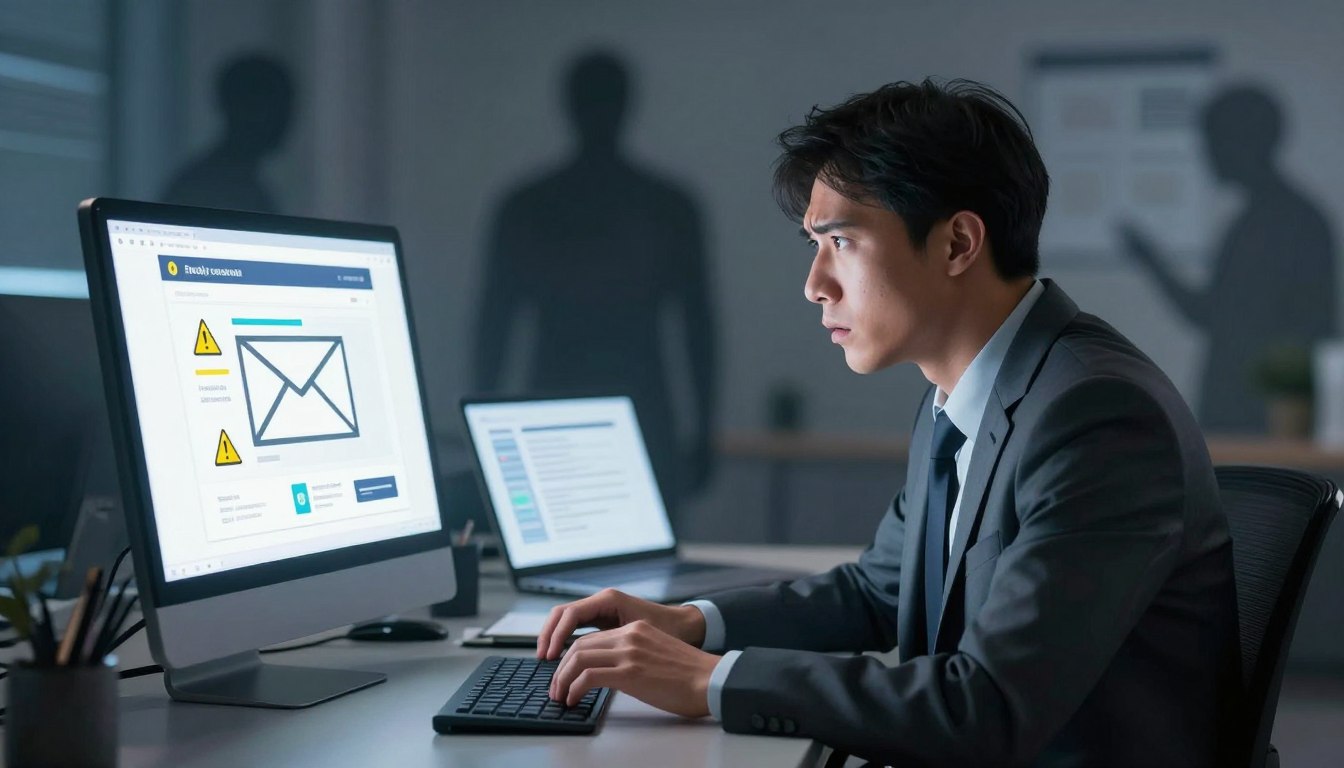
Have you ever opened your inbox and felt a sudden chill because a bank alert looked just a bit off? I know that feeling of doubt well. Digital threats lurk everywhere, so staying safe requires a sharp eye.
Criminals use sophisticated email phishing scams to target unsuspecting people daily. These sneaky tactics evolve constantly, making protection harder for us. I aim to help you spot fake emails before they cause real damage.

fake emails or messages trying to trick you into giving info
Hackers send deceptive notes that appear legitimate at first glance. These fraud attempts look like bank alerts or shipping updates. Learning their methods is the best defense against digital theft.
In this guide, I’ll share my best tips for staying secure online. We will explore how scammers operate and what red flags appear most often. Let’s start the journey toward a safer digital life together.
Cyber safety is an absolute necessity in our modern world. I believe everyone can master these defensive skills.
Key Takeaways
- Check for common sender address errors.
- Look for urgent language and threats.
- Verify all links before clicking them.
- Examine the greeting for generic terms.
- Notify the service provider regarding suspicious items.
- Enable two-factor authentication for extra safety.
Understanding the Mechanics of Modern Phishing
Modern phishing is a sophisticated threat that exploits both technological vulnerabilities and human psychology. To effectively counter these threats, it’s essential to understand the underlying mechanics.
The Psychology Behind Deceptive Communication
Phishing scams rely heavily on psychological manipulation. Cybercriminals use various tactics to create a sense of urgency or fear, prompting victims to act without fully considering the consequences. Emotional manipulation is a key factor, as it can lead individuals to bypass their usual cautious behavior.
Cybercriminals often exploit human traits such as trust and curiosity. For instance, emails that appear to be from a trusted source or contain intriguing information are more likely to be opened and acted upon. Understanding these psychological triggers is crucial in developing effective countermeasures.

phishing attempts
How Cybercriminals Target American Consumers
Cybercriminals target American consumers using tactics tailored to their specific concerns and behaviors. This includes exploiting current events, using language and cultural references that resonate with the target audience, and mimicking communications from well-known American brands.
| Tactic | Description | Example |
| Exploiting Current Events | Using news events to create a sense of urgency or relevance. | Emails claiming to offer information or aid related to recent natural disasters. |
| Cultural References | Incorporating cultural elements to build trust or credibility. | Using American holidays or popular culture icons in phishing emails. |
| Mimicking Known Brands | Impersonating well-known brands to gain trust. | Emails that appear to be from major retailers or banks, asking for login credentials. |
By understanding these tactics, American consumers can better protect themselves against phishing attempts.
Identifying Fake Emails or Messages Trying to Trick You Into Giving Info
As we navigate the digital landscape, it’s crucial to develop a keen eye for spotting fake emails and messages designed to deceive us into revealing sensitive information. I’ve learned that being cautious with emails and messages is key to protecting our personal data.
“The first step in protecting yourself is to understand the tactics used by cybercriminals,” says cybersecurity expert, Kevin Mitnick. This involves being aware of the common characteristics of scam emails.
Analyzing Sender Addresses and Domain Spoofing
One of the primary methods of identifying fake emails is by analyzing the sender’s address. Scammers often use domain spoofing, where they mimic the domain of a legitimate company. For instance, instead of using “@paypal.com,” a scammer might use “@paypa1.com” or “@paypal-support.com.” I always check the sender’s email address carefully to ensure it’s legitimate.
To verify the authenticity of the sender’s address, I look for slight variations in the domain name or unusual characters. Legitimate companies usually have professional email addresses that match their official domain.

fake emails or messages trying to trick you into giving info
Recognizing Urgent or Threatening Language
Scam emails often employ urgent or threatening language to create a sense of panic, prompting the recipient to act quickly without thinking. Phrases like “Your account will be suspended” or “You have 24 hours to respond” are common tactics used to create a false sense of urgency. I’ve noticed that legitimate companies rarely use such language in their communications.
When I receive an email with urgent or threatening language, I take a step back and assess the situation calmly. I verify the authenticity of the message by contacting the company directly through official channels.
Avoid making hasty decisions based on emails that try to create a sense of urgency.
The Role of Generic Greetings in Scam Emails
Legitimate companies usually address their customers by name, especially if they have a prior relationship. Scam emails, on the other hand, often use generic greetings like “Dear Customer” or “Hello User.” I’ve observed that this is a red flag, as it indicates a lack of personalization.
When I receive an email with a generic greeting, I am cautious and scrutinize the content for other signs of phishing. Legitimate emails from companies I have interacted with usually address me by my name.
“Be cautious of emails that lack personalization, as they may be attempts to deceive you into revealing sensitive information.”
Common Tactics Used in Phishing Attempts
Phishers employ a variety of tactics to deceive their victims, making it crucial to understand their methods. By being aware of these tactics, you can significantly reduce the risk of falling prey to phishing scams.
The Anatomy of a Malicious Link
Malicious links are a common tool used in phishing attempts. These links can appear in emails, text messages, or even social media direct messages. They often masquerade as legitimate URLs, making it difficult for the untrained eye to distinguish between genuine and fake links.
One way to identify a malicious link is to hover over it with your mouse. This action will display the URL in the status bar at the bottom of your browser or as a tooltip. If the URL looks suspicious or does not match the context of the message, it’s best not to click on it.
Hidden Dangers in Email Attachments
Email attachments are another popular method used by phishers to compromise your security. Attachments can contain malware or viruses that install themselves on your device as soon as you open the file.
It’s essential to be cautious when receiving unsolicited emails with attachments, especially if they come from unknown senders. Even if the email appears to be from a legitimate source, it’s crucial to verify the authenticity of the attachment before opening it.
Social Engineering and Impersonation Techniques
Social engineering is a tactic used by phishers to manipulate individuals into divulging sensitive information. This can involve impersonating a trusted entity, such as a bank or a well-known company, to gain the victim’s trust.
As cybersecurity expert, Bruce Schneier, once said,
“The human mind is a complex and vulnerable system, and it’s the weakest link in the security chain.”
This highlights the importance of being aware of social engineering tactics and being cautious when interacting with unsolicited messages.
- Be wary of messages that create a sense of urgency or panic.
- Verify the authenticity of messages by contacting the supposed sender through official channels.
- Never provide sensitive information via email or text message.
Protecting Your Personal Information Online
The rise of email phishing scams has made it essential to take extra precautions to secure our online information. As we navigate the digital landscape, it’s crucial to be aware of the potential threats to our personal data.
One of the most significant risks comes from sharing sensitive information via email. Legitimate organizations rarely ask for credentials or financial information through email, and doing so is often a sign of a bogus email threat.
Why You Should Never Share Credentials via Email
Sharing credentials via email can have severe consequences, including unauthorized access to your accounts and identity theft. Here are some key reasons to avoid this practice:
- Email is not a secure channel for transmitting sensitive information.
- Phishers often impersonate legitimate organizations to trick victims into divulging their credentials.
- Once credentials are shared, they can be used for malicious activities, such as financial fraud or identity theft.
The Importance of Multi-Factor Authentication
Implementing multi-factor authentication (MFA) adds an extra layer of security to your online accounts. MFA requires not only a password but also a second form of verification, such as a code sent to your phone or a biometric scan.
This significantly reduces the risk of unauthorized access, even if your password is compromised. Many online services, including financial institutions and email providers, offer MFA as an optional or mandatory security measure.
Securing Your Financial Data from Fraudulent Messages
To protect your financial data, be cautious when receiving messages that ask for sensitive information or prompt you to take urgent action. Here are some tips:
- Verify the authenticity of the message by contacting the organization directly through official channels.
- Be wary of messages with spelling and grammar errors or those that create a sense of urgency.
- Never click on links or download attachments from suspicious messages.
By being vigilant and taking proactive steps to secure your personal information, you can significantly reduce the risk of falling victim to email phishing scams and other online threats.
Recognizing Phishing Beyond the Inbox
Beyond the inbox, phishing attempts can be found in various forms of digital communication. As our online interactions diversify, so do the tactics employed by cybercriminals to deceive us. It’s essential to be aware of these evolving threats to protect our personal and financial information effectively.
Smishing: Identifying Fraudulent Text Messages
Smishing, or SMS phishing, involves scammers sending fraudulent text messages to trick victims into divulging sensitive information. These messages often create a sense of urgency, claiming that your account will be compromised or that you’ve won a prize. To avoid falling prey to smishing, be cautious with links or requests for personal data received via text message.
Key indicators of smishing attempts include:
- Unsolicited messages asking for personal or financial information
- Links to unfamiliar or suspicious websites
- Threats or alarms designed to create a sense of urgency
Vishing: Staying Safe from Voice Phishing Scams
Vishing, or voice phishing, occurs when scammers use phone calls to deceive individuals into revealing sensitive information. These calls can mimic legitimate organizations, such as banks or government agencies, and often employ scare tactics to gain compliance.
To protect yourself from vishing, it’s crucial to verify the caller’s identity. Legitimate organizations will not ask for sensitive information over the phone without proper verification processes.
| Vishing Red Flags | Legitimate Call Characteristics |
| Unsolicited calls asking for personal or financial information | Calls that verify your identity before discussing sensitive topics |
| Threats of account suspension or legal action | Clear explanation of the purpose of the call |
| Requests for immediate action or payment | Provision of official contact information for follow-up |
Social Media Phishing and Direct Message Scams
Social media platforms have become another hunting ground for phishing scammers. They often use direct messages or posts to trick users into divulging information or clicking on malicious links. Be wary of messages that ask for personal details or direct you to suspicious websites.
To stay safe on social media, it’s essential to be cautious with direct messages, even if they appear to come from known contacts. Cybercriminals can hack accounts and use them to send phishing messages to the victim’s contacts.
Best practices for social media safety include:
- Verifying the authenticity of messages and requests
- Avoiding clicking on suspicious links or downloading attachments from unknown sources
- Keeping your social media and antivirus software up to date
Technical Red Flags in Deceptive Online Communication
When navigating the digital landscape, it’s crucial to be aware of the technical red flags that signal deceptive online communication. These indicators can help you identify potential phishing attempts and protect your personal information from cybercriminals.
Spotting Mismatched URLs and Hyperlinks
One of the most common technical red flags is the presence of mismatched URLs and hyperlinks. Scammers often disguise malicious links by making them appear legitimate. To avoid falling prey to such tactics, it’s essential to hover over links to check their actual destination before clicking on them.
Example of a mismatched URL: A phishing email might contain a link that appears to be from a legitimate bank, but upon hovering, the URL reveals a completely different domain.
Identifying Poor Grammar and Spelling Errors
Legitimate organizations typically have professional communication with proper grammar and spelling. Phishing attempts, on the other hand, often contain errors. While not all emails with mistakes are phishing attempts, a high frequency of errors can be a red flag.
The Danger of Low-Resolution Logos and Branding
Phishing emails often use low-resolution logos or branding that doesn’t quite match the legitimate organization’s visual identity. Legitimate companies usually maintain consistent branding across their communications.
To further illustrate the differences between legitimate and phishing communications, consider the following comparison:
| Indicator | Legitimate Communication | Phishing Attempt |
| URLs and Hyperlinks | Matches the official website | Mismatched or suspicious URLs |
| Grammar and Spelling | Professional with no errors | Frequent grammar and spelling mistakes |
| Logos and Branding | High-resolution, consistent branding | Low-resolution or inconsistent branding |
By being vigilant and recognizing these technical red flags, you can significantly reduce the risk of falling victim to phishing scams and protect your online security.
How to Verify the Authenticity of a Message
As I navigate the complex world of online communication, verifying the authenticity of messages has become second nature. With the rise of sophisticated phishing attempts, it’s crucial to be vigilant when receiving unsolicited emails or messages that request personal or financial information.
To ensure your safety online, it’s essential to know how to verify the legitimacy of a message. This involves a combination of being cautious, using the right tools, and understanding the signs of a potential scam.
Contacting Organizations Through Official Channels
One of the most effective ways to verify the authenticity of a message is by contacting the organization directly through official channels. If you receive an email claiming to be from your bank, for instance, do not use the contact information provided in the email. Instead, look up the official contact details from the organization’s website or a trusted source, and reach out to them to confirm the message’s legitimacy.
This approach helps you avoid falling prey to phishing attempts where scammers may use fake contact information to make their emails appear genuine. By verifying through official channels, you can be certain that you’re communicating with the actual organization.
Using Browser Tools to Inspect Link Destinations
Another crucial step in verifying the authenticity of a message involves inspecting any links it may contain. Modern web browsers offer built-in tools that allow you to see where a link leads before you actually click on it.
To do this, simply hover your mouse over the link. The URL should appear in a tooltip or at the bottom of your browser window. Check if the link’s destination matches the context of the message and looks legitimate. Be wary of links with misspellings or those that lead to unfamiliar domains.
For added security, you can also use your browser’s developer tools to inspect the link’s HTML code. This can reveal if the link is attempting to redirect you to a different URL than what’s displayed.
Checking for Digital Signatures and Security Certificates
Some emails and messages, especially those from financial institutions or official bodies, may include digital signatures or security certificates to verify their authenticity. Understanding how to check these can add an extra layer of security.
For emails with digital signatures, you can use email clients that support signature verification. This process typically involves checking the email’s headers and verifying the signature against the sender’s public key.
When visiting websites mentioned in messages, ensure that they have a valid security certificate (HTTPS). You can check this by looking for the padlock icon in your browser’s address bar and verifying that the URL starts with “https.” This indicates that the connection is encrypted and the site’s identity has been verified by a trusted certificate authority.
By following these steps, you can significantly reduce the risk of falling victim to scam emails and phishing attempts, protecting your personal and financial information from potential threats.
What to Do If You Suspect a Phishing Attempt
Upon suspecting a phishing attempt, swift and informed action is necessary to minimize potential damage. Phishing scams can lead to significant financial and personal data losses if not handled properly. Therefore, understanding the right steps to take is crucial.
Reporting Scam Emails to Service Providers
If you identify an email as a phishing attempt, one of the most effective actions is to report it to your email service provider. Most email services have a straightforward process for reporting such emails. For instance, in Gmail, you can report phishing emails by clicking on the “More” menu (three vertical dots) and selecting “Report phishing.” This action not only helps protect you but also aids in preventing others from falling victim to the same scam.
“Reporting phishing attempts is a civic duty in the digital age. It helps create a safer online environment for everyone.”
To report scam emails effectively:
- Do not forward the email; instead, use the reporting feature provided by your email service.
- Include the full email headers if possible, as they contain crucial information for tracking the source of the phishing attempt.
- Keep a record of your report, including the date and time you reported it.
Blocking Senders and Marking Messages as Spam
Another critical step is to block the sender of the phishing email and mark the message as spam. This action helps your email service’s algorithm learn to recognize similar emails as malicious in the future. Here’s how you can do it:
- Open the email and look for the “Block” or “Report Spam” option.
- Click on it to block the sender and mark the email as spam.
- Confirm your action if prompted.
| Email Service | Steps to Block Sender | Steps to Mark as Spam |
| Gmail | Open email, click on “More” (three dots), select “Block [sender’s name]” | Open email, click on “More” (three dots), select “Report spam” |
| Outlook | Open email, right-click on sender’s email, select “Junk,” then “Block Sender” | Open email, click on “Junk,” then “Report as Junk” |
Deleting Suspicious Content Without Interaction
When dealing with highly suspicious emails, it’s advisable not to interact with them beyond reporting or marking as spam. Avoid clicking on any links or downloading attachments, as they could trigger malicious actions. Simply delete the email after reporting it.
By following these steps, you can significantly reduce the risk associated with phishing attempts. Remember, vigilance and swift action are key to protecting your digital identity and financial security.
Responding to a Compromised Account
Responding swiftly to a compromised account is vital to protect your personal and financial information from cybercriminals who use deceptive emails and messages. When you suspect that your account has been accessed without your authorization, likely due to fake emails or messages trying to trick you into giving info, immediate action is necessary.
Immediate Steps to Change Your Passwords
The first step in securing your compromised account is to change your password immediately. It’s essential to use a strong, unique password that you haven’t used before. Consider using a password manager to generate and store complex passwords. After changing your password, ensure that you log out of all other sessions and devices to prevent further unauthorized access.
Additional Security Measure: Enable multi-factor authentication (MFA) if available. MFA adds an extra layer of security, making it significantly harder for attackers to gain access to your account.
Notifying Your Bank and Financial Institutions
If your compromised account is linked to financial information or is with a financial institution, it’s crucial to notify them immediately. They can monitor your account for suspicious activity and take necessary precautions to prevent further fraud. Be prepared to provide details about the suspected compromise and follow their guidance on the next steps.
- Contact your bank’s fraud department directly using a phone number you know is genuine.
- Explain the situation and ask for their assistance in securing your accounts.
- Follow any additional security measures they recommend.
Monitoring Your Credit Reports for Unauthorized Activity
Regularly monitoring your credit reports is a critical step in identifying and addressing any potential identity theft resulting from a compromised account. You can request a free credit report annually from the major credit reporting agencies. Look for any accounts or transactions you don’t recognize and report them immediately.
| Credit Report Monitoring Tips | Description |
| Check for Unknown Accounts | Verify that all accounts listed are recognized and legitimate. |
| Review Transactions | Ensure all transactions are familiar and authorized. |
| Report Suspicious Activity | Contact the credit agency and the relevant financial institution immediately. |
By taking these steps, you can significantly reduce the risk associated with a compromised account and protect your personal and financial information from further harm.
The Role of Email Security Software
In today’s digital landscape, email security software is my first line of defense against bogus email threats and phishing scams. As cybercriminals continue to evolve their tactics, robust email security measures are crucial for protecting personal and sensitive information.
Email security software serves as a comprehensive solution, integrating various features to detect and prevent phishing attempts. “The right email security software can significantly reduce the risk of falling victim to phishing scams.” According to cybersecurity experts, a multi-layered approach is key to effective email security.
How Spam Filters Catch Bogus Email Threats
Spam filters are a critical component of email security software, designed to identify and isolate suspicious emails. These filters use complex algorithms to analyze email content, sender information, and other factors to determine the likelihood of an email being spam or malicious.
By leveraging machine learning and artificial intelligence, modern spam filters can effectively catch bogus email threats, including those that employ sophisticated phishing tactics. “Advanced spam filters can learn from user behavior and adapt to new phishing strategies.”
Benefits of Using Antivirus and Anti-Phishing Tools
Antivirus and anti-phishing tools are essential components of a robust email security strategy. These tools provide real-time protection against malware and phishing attempts, helping to safeguard sensitive information.
By using antivirus and anti-phishing tools, I can significantly reduce the risk of falling victim to phishing scams and other cyber threats. The benefits include enhanced security, improved detection rates, and better protection for personal data.
Keeping Your Software Updated for Maximum Protection
Regular software updates are vital for maintaining maximum protection against evolving cyber threats. Updates often include patches for newly discovered vulnerabilities and enhancements to detection algorithms.
By keeping my email security software up to date, I ensure that I have the latest protections against bogus email threats and phishing scams. “Staying current with software updates is a simple yet effective way to bolster my email security.”
Educating Family and Friends About Phishing
Educating family and friends about phishing is a crucial step in creating a safer online community. By sharing our knowledge and experiences, we can help those around us avoid falling victim to deceptive online communication.
As I reflect on my own encounters with potential phishing attempts, I realize that being aware of these threats is only the first step. It’s equally important to disseminate this awareness to our loved ones, ensuring they’re equipped to handle such situations effectively.
Sharing Best Practices for Digital Safety
One of the most effective ways to educate others about phishing is by sharing best practices for digital safety. This includes being cautious with links and attachments from unknown sources, verifying the authenticity of messages, and regularly updating passwords.
I always advise my family and friends to be vigilant when receiving unsolicited emails or messages that ask for personal information. We discuss the importance of checking the sender’s address and looking out for spelling mistakes or generic greetings, which are common indicators of phishing attempts.
Helping Vulnerable Users Spot Deceptive Tactics
Some individuals, such as the elderly or those less familiar with technology, are more vulnerable to phishing scams. It’s our responsibility to help them understand the tactics used by cybercriminals and how to identify potential threats.
By sharing real-life examples of phishing attempts and explaining how to spot red flags, we can empower these individuals to protect themselves online. This might include demonstrating how to hover over links to check their destinations or how to report suspicious messages.
Creating a Culture of Security at Home
Creating a culture of security within our households is vital in the fight against phishing. This involves setting a good example by practicing safe online behaviors ourselves and encouraging others to do the same.
We can achieve this by having open discussions about online safety, conducting regular checks on our digital security measures, and staying updated with the latest phishing tactics. By working together, we can significantly reduce the risk of falling prey to phishing attempts.
Legal and Regulatory Protections in the United States
The United States has implemented several legal and regulatory measures to safeguard its citizens from the growing threat of phishing and scam emails. As a consumer, it’s essential to understand these protections and how they can help you in case you fall victim to a phishing attempt.
Reporting Phishing to the Federal Trade Commission
If you believe you’ve been targeted by a phishing scam, one of the first steps you can take is to report it to the Federal Trade Commission (FTC). The FTC is responsible for protecting consumers from deceptive business practices, including phishing scams. You can file a complaint online or call their helpline to report the incident.
Reporting phishing attempts to the FTC helps in creating a database of scam reports, which can be used to identify patterns and track down the perpetrators. This information is crucial in helping law enforcement agencies take action against phishing operations.
Understanding Your Rights Regarding Data Breaches
In the event of a data breach, you have certain rights under U.S. law. Many states have enacted laws that require companies to notify individuals if their personal data has been compromised. This notification typically includes information about the breach, what data was affected, and steps you can take to protect yourself.
It’s essential to understand your rights and the obligations of companies to protect your data. If you’re affected by a data breach, you may be entitled to compensation or other forms of relief.
How Law Enforcement Tracks Phishing Operations
Law enforcement agencies in the U.S., including the FBI and local police departments, work together to track and prosecute phishing operations. They use various techniques, including analyzing reported phishing emails and tracing the digital footprints left by scammers.
By reporting phishing attempts and cooperating with law enforcement, you can play a crucial role in helping to dismantle phishing operations and bring perpetrators to justice.
Common Myths About Online Security
As we navigate the complex world of online security, it’s essential to separate fact from fiction to protect ourselves from fake emails and deceptive online communication. The digital landscape is riddled with misconceptions that can leave even the most cautious individuals vulnerable to cyber threats. By understanding the truth behind these myths, we can better safeguard our personal information and avoid falling prey to phishing scams.
Debunking the Idea That Only Tech-Savvy People Get Scammed
One common myth is that only those who are not tech-savvy fall victim to online scams. However, the reality is that anyone can be scammed, regardless of their technical expertise. Cybercriminals have become increasingly sophisticated, using tactics that can deceive even the most knowledgeable individuals.
Here are some key points to consider:
- Scammers often use psychological manipulation to trick victims into divulging sensitive information.
- Even experts can fall prey to highly convincing phishing attempts.
- Awareness and vigilance are crucial for everyone, regardless of their technical background.
Why Having a Mac or Mobile Device Does Not Make You Immune
Another myth is that certain devices, such as Macs or mobile devices, are completely secure. While these devices have robust security features, no device is entirely immune to cyber threats. Cybercriminals continually adapt their tactics to target various platforms.
To stay safe, it’s essential to:
- Keep your device’s operating system and software up to date.
- Use strong passwords and enable multi-factor authentication.
- Be cautious when clicking on links or downloading attachments from unknown sources.
The Truth About Email Encryption and Privacy
Many believe that email encryption alone guarantees privacy. While encryption is a powerful tool for protecting email content, it is not a foolproof solution. Other factors, such as the security of the email service provider and the recipients’ email environments, also play critical roles in maintaining privacy.
To enhance email privacy:
- Use end-to-end encryption whenever possible.
- Be mindful of the information you share via email.
- Choose email service providers that prioritize security and privacy.
Conclusion
As we’ve explored throughout this article, email phishing scams and other phishing attempts are becoming increasingly sophisticated. Protecting your personal information online requires vigilance and a proactive approach to security.
By understanding the mechanics of modern phishing, identifying fake emails or messages, and knowing how to verify the authenticity of a message, you can significantly reduce your risk of falling victim to these scams.
I encourage you to remain cautious when interacting with unsolicited emails or messages, and to always prioritize best practices in online security. By doing so, you’ll be better equipped to safeguard your digital identity and financial information from phishing attempts.
Staying informed and sharing knowledge with family and friends is key to creating a safer online community. Let’s work together to outsmart email phishing scams and other malicious activities.